
Managing Environment Variables Securely with Keycheck
Keycheck compares your local env file with a project template in the browser, helping you catch missing, stale, empty, and placeholder variables securely.
Working with environment variables is a fundamental part of web development. As projects grow, the configuration files grow alongside them. Teams frequently update the template files with new keys required for external services, database connections, or application settings. When a developer pulls the latest code, their local configuration often falls out of sync. This mismatch leads to frustrating runtime errors that take valuable time to debug.
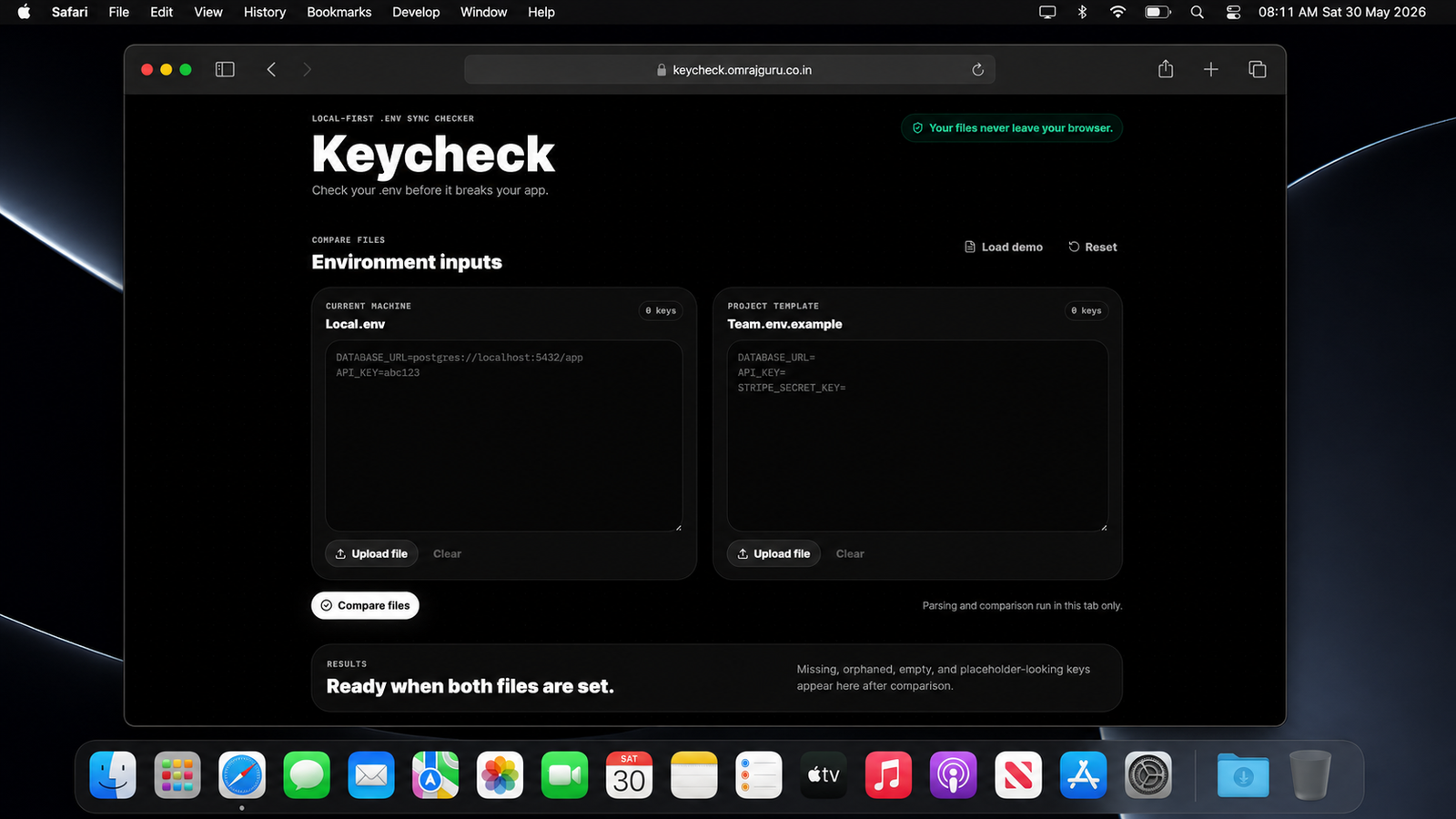
Usually, developers rely on a template file to understand what keys are required for the project to run. You are expected to manually compare your local environment file line by line against this template. This manual check is tedious and highly prone to human error. It is very easy to miss a recently added key when staring at dozens of configuration variables. Sometimes you might even leave a placeholder value intact without realizing it requires a real credential.
Keycheck was built to solve this exact problem cleanly and efficiently. It is a utility designed to compare a local environment file with a project template file automatically. By automating this comparison, it eliminates the guesswork and manual visual scanning that developers usually have to perform. The tool focuses entirely on identifying missing, stale, empty, and placeholder variables within your configuration.
Using the application is a straightforward process. You start by providing the contents of your local environment file and the project template file. You have the flexibility to either copy and paste the text directly into the interface or upload the files right from your local machine. The interface is designed to accommodate whatever workflow feels most natural to you at that moment.
Security is a massive concern when dealing with environment variables because they contain sensitive secrets like API keys and database passwords. Keycheck addresses this by running entirely within your web browser. Absolutely no file contents are uploaded, stored, logged, or transmitted to any external server. The parsing and comparison happen locally on your own machine. This strict privacy model ensures your credentials remain completely secure.
Once you provide both files, the application parses the data to understand the state of your configuration. It immediately highlights any keys that exist in the template but are missing from your local file. It also identifies orphaned keys, which are variables present in your local environment that are no longer needed or defined in the template. This helps keep your local workspace clean and free of outdated configuration cruft.
| Check Type | Description | Benefit |
|---|---|---|
| Missing Variables | Keys present in template but absent locally | Prevent runtime failures |
| Orphaned Variables | Keys present locally but removed from template | Cleaner configuration |
| Empty Values | Variables with no assigned value | Catch setup mistakes |
| Placeholder Values | Default or example values still present | Avoid broken integrations |
Beyond just checking for the presence of keys, the tool inspects the actual values you have provided. It scans for local values that have been left entirely empty. Furthermore, it looks for placeholder strings that often accidentally slip through into local development environments. Identifying these empty or placeholder values before you run your application saves you from cryptic startup crashes.
Identifying the problem is only half the battle, so the application also helps you fix it. After detecting missing keys, it generates a ready to paste snippet containing those exact missing variables. You can simply copy this snippet and append it directly to your local configuration file. You then fill in the real values, completely bypassing the need to type out the variable names manually.
The technical architecture of the project is intentionally simple. It is built as a static frontend application, meaning it does not rely on a backend server to function. This static nature makes it incredibly easy to host yourself if you prefer to keep the tool entirely within your own infrastructure. You can build the project locally and serve the resulting files through any basic static hosting provider.
For developers who want to run the project locally or contribute, the setup process is minimal. You only need to install the dependencies and run the development command using standard node package managers. The development server spins up quickly and provides a local web address where you can test the application. The source code is organized logically, separating the user interface components from the core parsing and comparison logic.
The project is entirely open source and released under the permissive MIT License. Contributions from other developers are welcome and encouraged. There is a clear set of guidelines available in the repository for local setup, coding standards, and expectations for pull requests. The project also maintains a code of conduct to ensure a welcoming environment for anyone who wishes to participate or suggest improvements.
“Spend less time hunting configuration issues and more time building features.”
—Keycheck Philosophy
Ultimately, this is a focused utility doing one specific job very well. It removes the friction from managing local environment variables while respecting the strict privacy requirements inherent to handling secrets. By dropping this tool into your regular development workflow, you can spend less time hunting down missing configuration keys and more time writing actual code. You can access the official hosted version directly from the project website whenever you need to verify your environment setup.
Frequently Asked Questions
Everything You Need to Know About Keycheck
Learn how Keycheck works, how it protects your environment variables, and how to get the most out of the tool for managing project configuration files.
No. Keycheck runs entirely in the browser. File contents are never uploaded, stored, logged, or sent to a server.
Related projects
My Knowledge Lived Everywhere Claude Could Not Reach
My thoughts were scattered across apps Claude had no access to. Shelf fixes that. One place. Every decision, grounded in context you actually wrote.
OpenWhen. Your time, perfectly scheduled.
When. Sovereign scheduling for Vercel. Open-source, elegantly simple, and entirely yours. A more personal way to connect.
Open